


Live weather alarm-Radar
3.6238.00 Reviews
App Specs
- Version
- 1.9.1
- Updated On
- License
- Free
- Downloads
- 100,000+
- Developer
- App Musings
- Categories
- Tools
- Platform
- Android
Screenshots
 Analysis by AppCompare
I tend to notice weather tools most when I am already in a hurry: leaving for work, planning a walk, or deciding whether laundry can stay outside. Live weather alarm-Radar approaches that everyday problem as a small utility rather than a full weather newsroom. Its purpose is to help me react to changing conditions, with an emphasis on live information and alarms instead of endless browsing.
That focus makes it interesting for people who want weather to interrupt their routine at the right moment. It also means the experience depends heavily on how comfortably the app handles changing information, mobile connections, and moments when a phone is not receiving fresh data. I found the most useful way to judge it is not by asking whether it replaces every weather service, but whether it works as a practical weather assistant during ordinary decisions.
How Live weather alarm-Radar fits into daily weather checks
Live weather alarm-Radar is a free tools app from App Musings, aimed at Everyone and running on Android 8.0 or later. The current version is 1.9.1. It has passed the point of being an obscure experiment, with more than 100 thousand installs, although its average sits at 3.4 from around 1.2 thousand ratings. That combination tells me to approach it with realistic expectations: there is clear interest, but the experience may not satisfy every type of weather user.
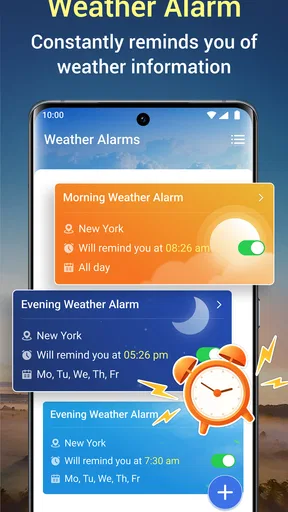
The central idea is straightforward. Instead of opening a forecast only after remembering to do so, I can use a weather alarm as part of a routine. That changes the role of the app. A standard weather application is usually something I consult; this one is more useful when I want weather information to become a prompt for action.
In practice, that could mean checking conditions before a commute, watching for a change before taking a dog out, or using an alert as a reminder to reconsider an outdoor plan. The value is not in reading long forecast explanations. It is in reducing the number of times I need to remember to check the sky, the forecast, and the timing of a possible change.
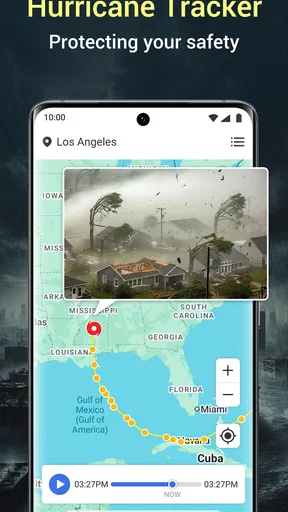
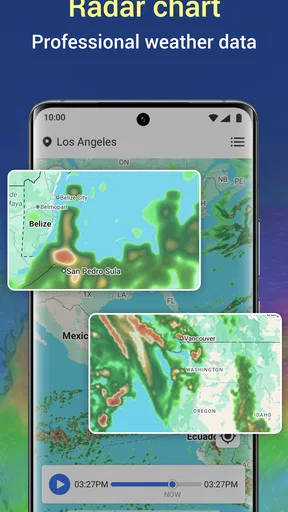
The radar angle also suggests a more immediate way of thinking about weather than a simple daily summary. When conditions are changing, a broad statement about the day can be less helpful than seeing whether precipitation is approaching. I would still treat any visual weather display as guidance rather than a guarantee, especially for very local conditions. Radar-style information can support a decision, but it does not eliminate uncertainty.
Connectivity is part of the experience, not a background detail
The word “live” matters here. Fresh weather information normally requires a connection to retrieve or update current conditions, so the app is most convincing when my phone can communicate reliably. On a strong mobile connection, the workflow is simple: open the app or respond to an alert, look at the current picture, and decide whether to continue with the plan.
Worth Reading Before You Choose

EA SPORTS FC Mobile 26 Is a Bigger Football Game, but It Takes Time

Flipboard Shows What News Apps Must Do Beyond the Feed

Switching to Android Auto Means Rethinking Your Driving Routine

Google Calendar Makes a Crowded Week Easier to Manage

Ludo King Makes the Most of the Minutes Between Plans

Baby Panda World Brings Quick Play to Modern Phones, but Its Game Library Feels Busy
The weak point is that a weather alarm cannot be judged only by how attractive its screen looks. The usefulness of an alert depends on timely information reaching the device. A delayed update can turn a helpful warning into a late reminder. I therefore would not use this app as my only safeguard for hazardous travel or rapidly changing severe weather. For those situations, official local warnings and other trusted emergency channels should remain part of the plan.
There is also a subtle difference between having internet access and having a dependable connection at the exact moment I need the information. Underground stations, rural roads, crowded events, and buildings with poor reception can all interrupt a weather check. If I know I will be away from reliable service, I make the important decision before leaving rather than assuming the app will always refresh when I need it.
The practical rule is simple: treat a live alarm as a prompt to check conditions, not as a substitute for judgement. That approach makes the app more dependable because it leaves room for connection delays, local variation, and the normal limits of weather prediction.
Using it while moving between places
Weather tools are often used in awkward situations: one hand is carrying a bag, the phone is nearly out of reach, or I am standing outside deciding whether to keep walking. A live alarm can be more useful than a conventional forecast in these moments because it is designed around an event that may require attention. I do not need to remember a specific time to open a forecast if the app has already become part of my weather-checking habit.
For a commute, I would check conditions before leaving home and then use any later alert as a reason to reassess. That two-stage workflow is better than waiting passively for a notification. The first check helps me prepare; the later prompt helps me notice that the situation may have changed. If the journey involves several areas with different weather, I would be especially careful about assuming that an alert for one place describes the entire route.
For outdoor exercise, the app can help with timing. I might set my plan around a period when conditions look manageable, then use the live view to decide whether to shorten the route. The important trade-off is convenience versus precision. A small weather utility can make a quick decision easier, but it is not necessarily the best tool for detailed route planning, long-range climate comparisons, or professional outdoor work.
Travelers should also think about the difference between a familiar home location and a temporary destination. A weather alarm is only useful if I am looking at the place that matters for the current decision. When moving between cities, I make a habit of checking the active location before relying on a warning. This is a small step, but it prevents one of the most common mistakes with any location-based weather tool: acting on correct information for the wrong place.
A realistic morning and evening workflow
Imagine a weekday morning with a short cycle to work and an appointment after lunch. I would first use the app to see whether the immediate conditions support cycling. If the radar view suggests incoming precipitation, I can choose another option before leaving instead of discovering the problem halfway through the trip. Later, an alarm can serve as a nudge to check again before the appointment.
In the evening, I would use the same information differently. Rather than repeatedly opening the app, I could make one deliberate check before taking the dog out or walking to a shop. If the conditions look unsettled, I can keep the outing shorter or take suitable clothing. The app is most useful in this scenario because it reduces repeated mental effort. It turns weather from a background worry into a couple of planned decisions.
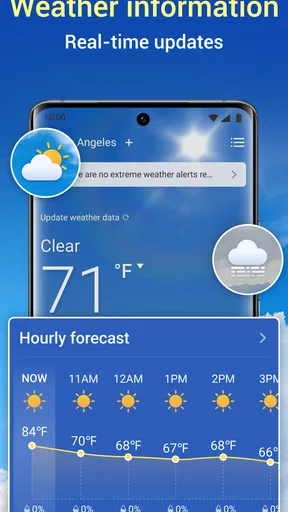
That workflow also shows where it can disappoint. If I need a detailed hourly breakdown, extensive historical context, a large map with many layers, or a broad set of travel-planning tools, a larger weather service may be a better fit. Live weather alarm-Radar makes more sense when the question is, “Should I pay attention to the weather now?” rather than, “Can I analyze every weather variable for the next week?”
What happens when an update arrives late
Every connected weather app has a failure path, and I think about that path before trusting notifications. A weak signal, temporary service interruption, battery-saving behavior, or a phone that has not refreshed properly can all affect timing. I would not assume that silence means conditions are safe. Silence may simply mean that no new information reached the device.
My recovery habit is to open the app manually when the decision matters. If the screen does not appear current, I wait for a connection or use another trusted source before committing to a risky plan. This is not a criticism unique to this app; it is the normal discipline required by any live information service. Still, it is especially important here because the alarm concept can create a false sense that the phone will always warn me automatically.
When an alert does arrive, I prefer to treat it as the beginning of a check rather than the complete answer. I look at the current situation, consider where I am going, and decide whether the change affects me. A warning that matters for one neighborhood may be irrelevant to another a short distance away. This extra step takes little time and makes the app’s alert-driven design more useful.
Recovery also means keeping expectations reasonable after moving through areas with poor reception. I would not make a critical decision based on an old screen that was left open earlier. Reopening the app when service returns is a better habit than assuming the display has stayed current. The app can support awareness, but I remain responsible for confirming conditions when timing and safety matter.
Keeping mobile data use sensible
Because the experience centers on live weather information and radar-style viewing, frequent refreshing can become unnecessary if I use it without a routine. I do not need to stare at the map continuously during a normal day. A better approach is to check before leaving, respond to a relevant alarm, and check again only when the plan or the weather has genuinely changed.
This pattern is useful for people with limited mobile data, but it is also better for attention. Constantly watching a radar screen can make ordinary weather feel more urgent than it is. I prefer using the app as a decision tool: check, interpret, act, and close it. That keeps the live element helpful instead of turning it into another stream of notifications and visual noise.
On a metered connection, I would be more deliberate about opening map-heavy screens and refreshing repeatedly. I would also avoid using a weather alarm as entertainment or leaving it open simply because information is available. The app’s strongest use is short and purposeful. A quick check before a journey is more valuable than continuous monitoring for routine errands.
There is a trade-off here between immediacy and restraint. The more often I seek new information, the more current my picture may become, but the more dependent I am on connectivity and the more attention the app demands. For most everyday plans, a few well-timed checks are enough. For genuinely dangerous conditions, I would supplement it with official alerts rather than trying to solve the problem by refreshing one app more often.
Who will appreciate it, and who should choose another tool?
I think Live weather alarm-Radar is a good match for people who want a compact weather assistant with an alert-oriented routine. It suits someone who regularly forgets to check the forecast before leaving, notices weather changes while commuting, or wants a quick radar-style view instead of a large collection of unrelated weather features.
It may also appeal to users who prefer a focused tool over a crowded weather dashboard. The free price removes a major barrier to trying it, and the Everyone rating makes it approachable for general household use. I would introduce it to a friend who wants a practical reminder to reassess outdoor plans, not to someone looking for a complete meteorological workstation.
I would skip it if my priority were deep forecasting, detailed travel planning, extensive climate records, or a single app that combines weather with navigation and emergency information. A conventional full-featured weather service may provide a broader context. Someone who needs dependable warnings for work, aviation, hiking in exposed areas, or severe-weather preparation should also consult authoritative local sources rather than relying on this app alone.
The rating of 3.4 suggests a mixed public experience, and I think that is fair to keep in mind. The concept is useful, but usefulness depends on timely updates, correct location awareness, and a willingness to verify important information. If I expect every alert to be perfectly timed or every local change to be captured, I may become frustrated. If I use it as one layer in a sensible routine, its focused design makes more sense.
My verdict on the connected weather assistant
After using Live weather alarm-Radar as a practical tool rather than a complete forecast replacement, I see its main strength clearly: it encourages me to make weather checks part of a decision instead of leaving them to memory. The live and alarm-focused approach is valuable on busy days, especially when a short delay or an approaching change can affect a commute, walk, or outdoor appointment.
Its main limitation is equally clear. The experience is tied to the quality and timing of connected information, so I should not confuse an alert with certainty or silence with safety. I also need to use it selectively to avoid needless refreshing and notification fatigue. Those are manageable trade-offs, but they are important ones.
For a free Android tools app from App Musings, Live weather alarm-Radar offers a focused answer to a common problem: remembering to pay attention before the weather disrupts the plan. I would recommend giving it a try if you want timely prompts and quick checks. I would keep a broader forecast service or official warning source alongside it when the decision is more serious than choosing between a jacket and an umbrella.
Pros
- Real-time radar helps track approaching rain and storms.
- Weather alarms can provide useful advance warning for severe conditions.
- Simple interface makes essential forecasts quick to check.
- Supports location-based alerts for more relevant weather updates.
- Useful for planning commutes
- trips
- and outdoor activities.
Cons
- Some advanced radar or alert features may require a subscription.
- Location access is needed for accurate local forecasts and warnings.
- Frequent notifications may feel excessive during unstable weather.
- Forecast accuracy can vary by region and local data availability.
- Background location and radar updates may increase battery usage.
FAQs for Live weather alarm-Radar
What is Live Weather Alarm-Radar and what does it do?
Live Weather Alarm-Radar is a weather application designed to provide current conditions, radar maps, forecasts, and weather alerts in one place. After installing it, users can check approaching rain, storms, temperature changes, wind, and other local conditions. Its radar-focused features are especially useful for planning commutes, outdoor activities, travel, or daily routines when weather conditions may change quickly.
Does Live Weather Alarm-Radar provide real-time weather alerts?
The app is built around weather monitoring and can provide notifications or alarms for important conditions, depending on the features enabled on your device and the selected location. Users should allow notifications and location access if they want timely warnings. Alert accuracy and delivery may depend on the available meteorological data, internet connection, regional coverage, and the notification settings configured in Android or iOS.
Does the app require access to my location?
Live Weather Alarm-Radar can use your location to display local forecasts, radar activity, and relevant weather warnings without requiring you to enter a city manually. Location permission is generally optional, so you may be able to search for and save locations yourself. If privacy is a concern, review the permission request carefully and choose approximate or limited access when your device offers that option.
Can I use Live Weather Alarm-Radar without an internet connection?
An internet connection is normally required to load updated radar imagery, current weather observations, forecasts, and alerts. Some previously loaded information may remain visible temporarily, but it should not be considered fully current while offline. For dependable warnings, open the app periodically, keep mobile data or Wi-Fi available, and avoid relying exclusively on cached information during severe or rapidly changing weather.
Is Live Weather Alarm-Radar free to download and use?
The application may be available as a free download, but some features can depend on advertising, optional purchases, or a premium subscription. Before installing, check the official Google Play Store or Apple App Store listing for the current pricing, included tools, and subscription terms. Also review whether advanced radar views, extended forecasts, ad removal, or additional alerts require payment in your region.


